

MyFirm · Corporate Community
Your Whole Company, in One App
MyFirm brings attendance, leave, approvals, company news and team directories into one mobile-first app for employees — and a web dashboard for HR to run it all, bridging the gap between HR and employees.
Request a Demo
Employee app + HR dashboard.
Leave approved
Line manager · HR
New company update
Annual Iftar 2026
3 teammates out today
Team calendar
2
Surfaces: employee app and HR dashboard
2-step
Line manager and HR approvals
4+
Leave types, balances tracked live
0
Paper forms or email chains
Inside the App
Everything Employees and HR Do Every Day, Together
One app replaces scattered spreadsheets, email threads and notice boards — so a leave request, its approval and the team calendar all describe the same reality.
01
Out of Office
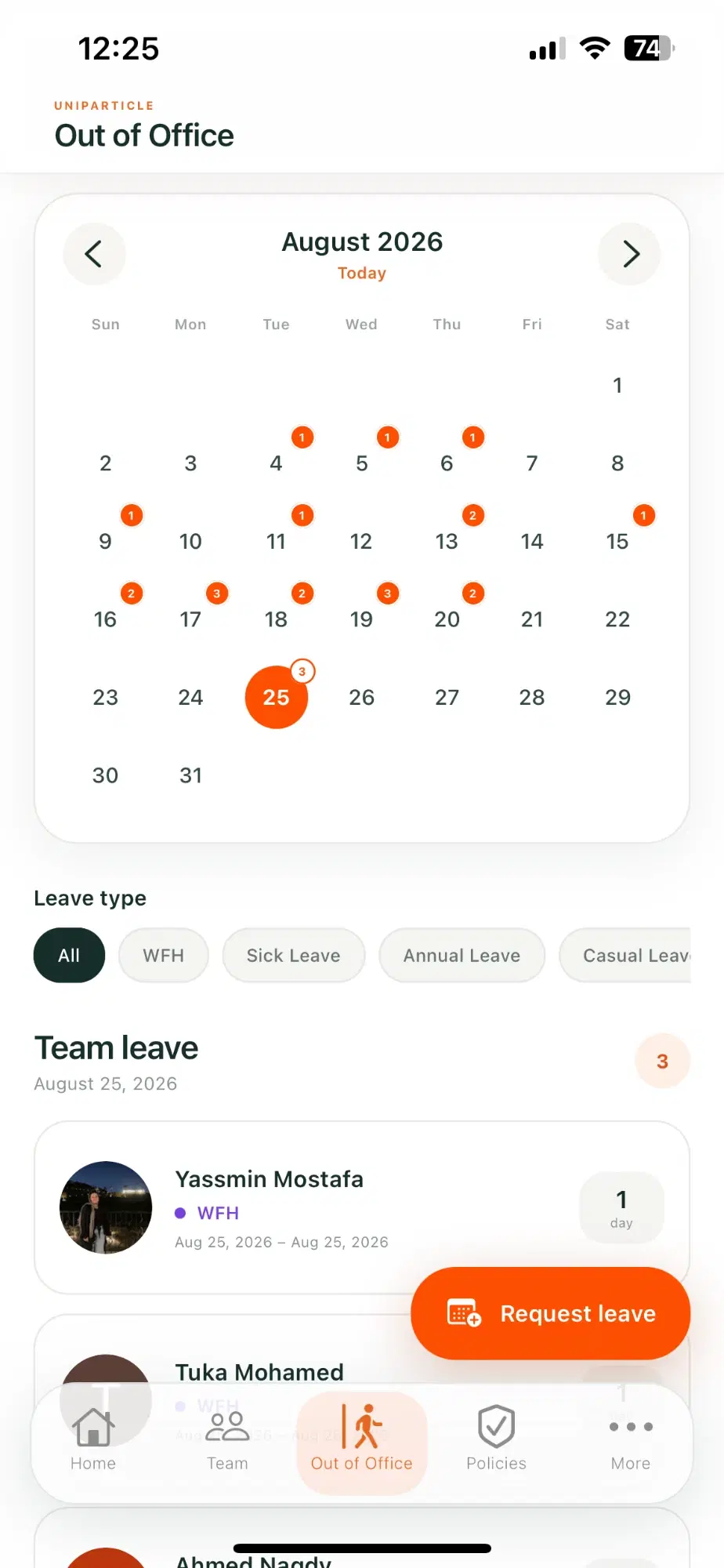
See who is away, and plan time off in seconds
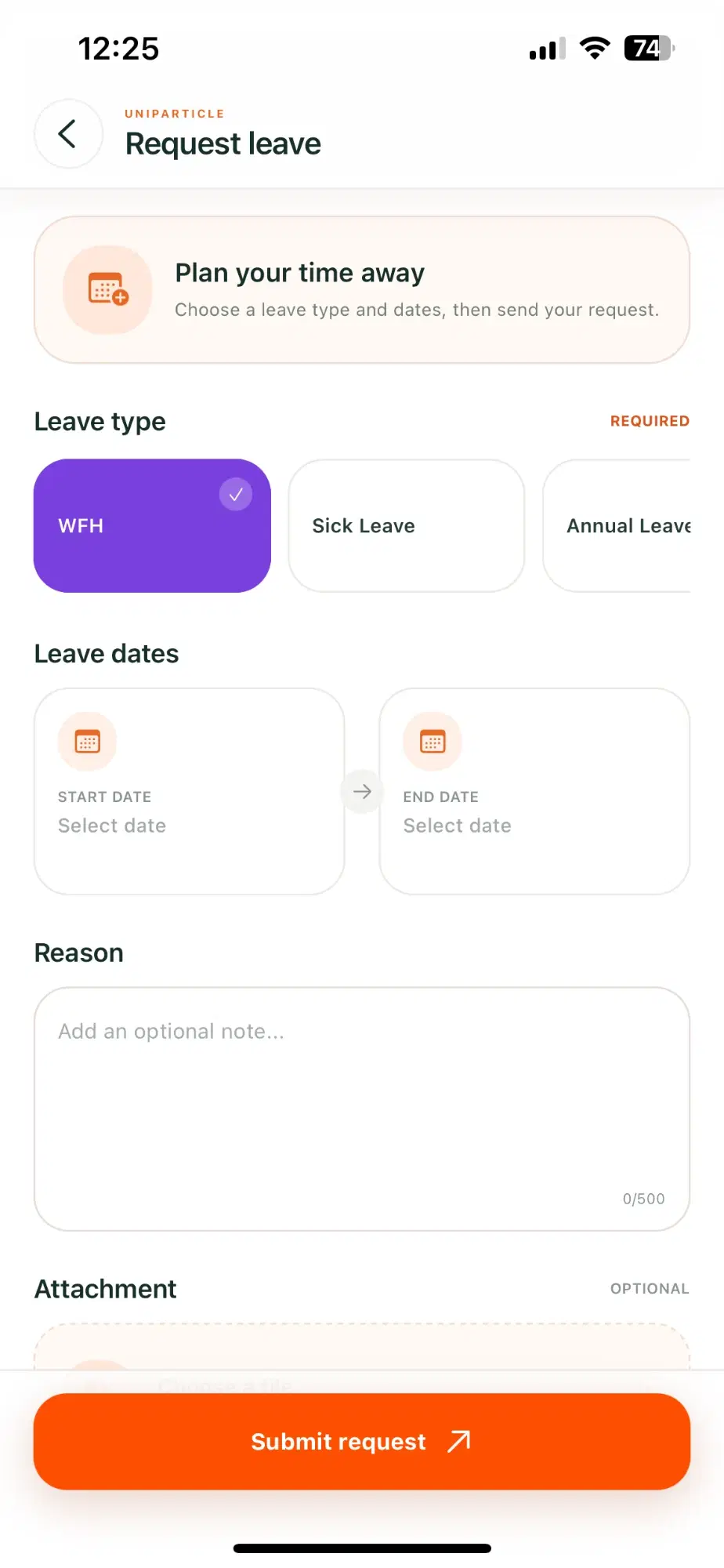
A shared team calendar shows who is out, working from home or on leave — filtered by leave type. Employees request leave in a few taps, with dates, a note and an optional attachment.
Team calendar with daily leave counts
Filter by WFH, sick, annual and casual leave
Request leave with attachment and reason
3 teammates out
Today · Team leave
Request submitted
Pending approval
02
Approvals
Every request routed to the right approver
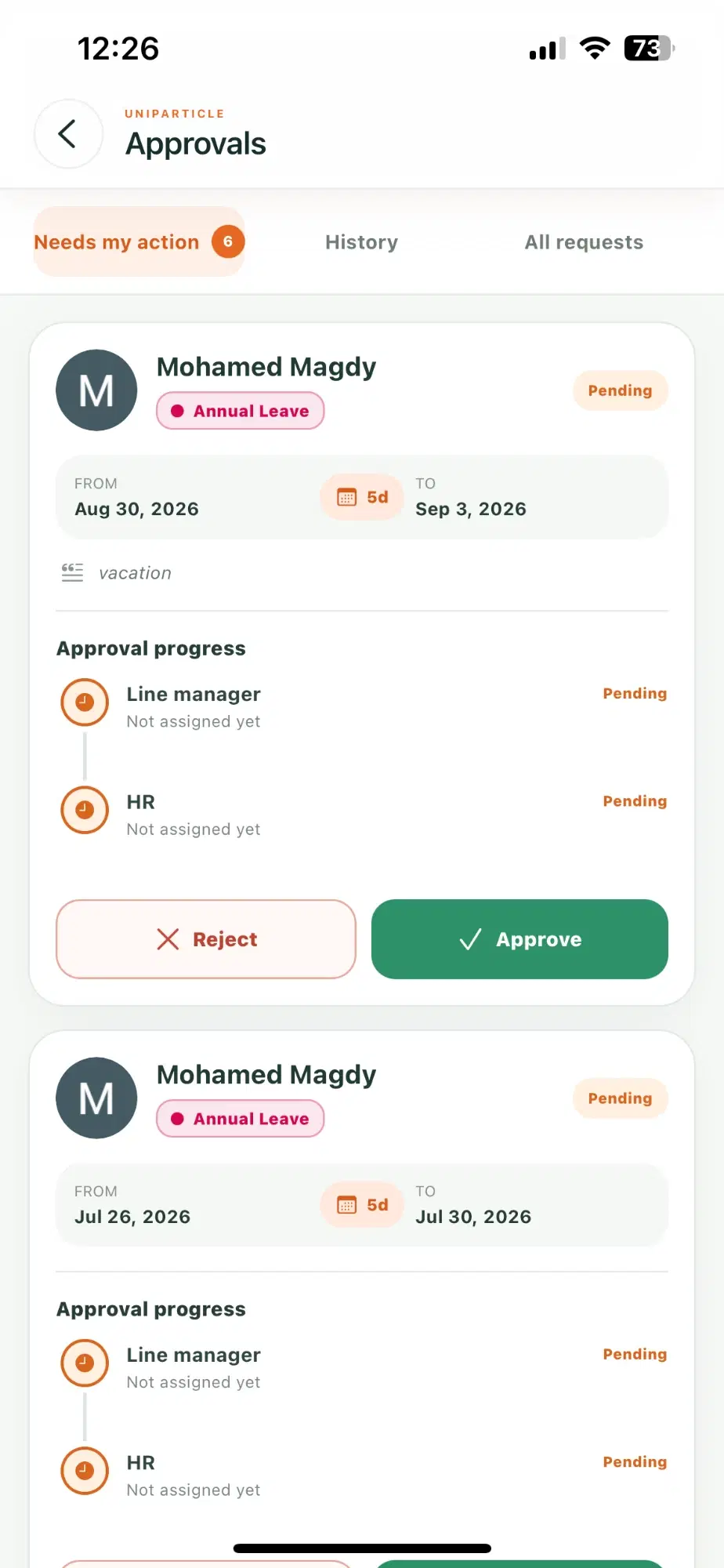
Managers and HR get one queue for everything that needs action. Each request shows its dates, duration and a clear approval trail — approve or reject without leaving the app.
Needs-my-action queue with live count
Line manager → HR approval progress
History and full request log
6 need your action
Approvals inbox
Approved by HR
Step 2 of 2
03
Team
Find anyone, in any department
A searchable directory by name, role, department or squad, so employees always know who to reach and how teams fit together.
Search by name, role, department or squad
People and Squads views
Department filters in one tap
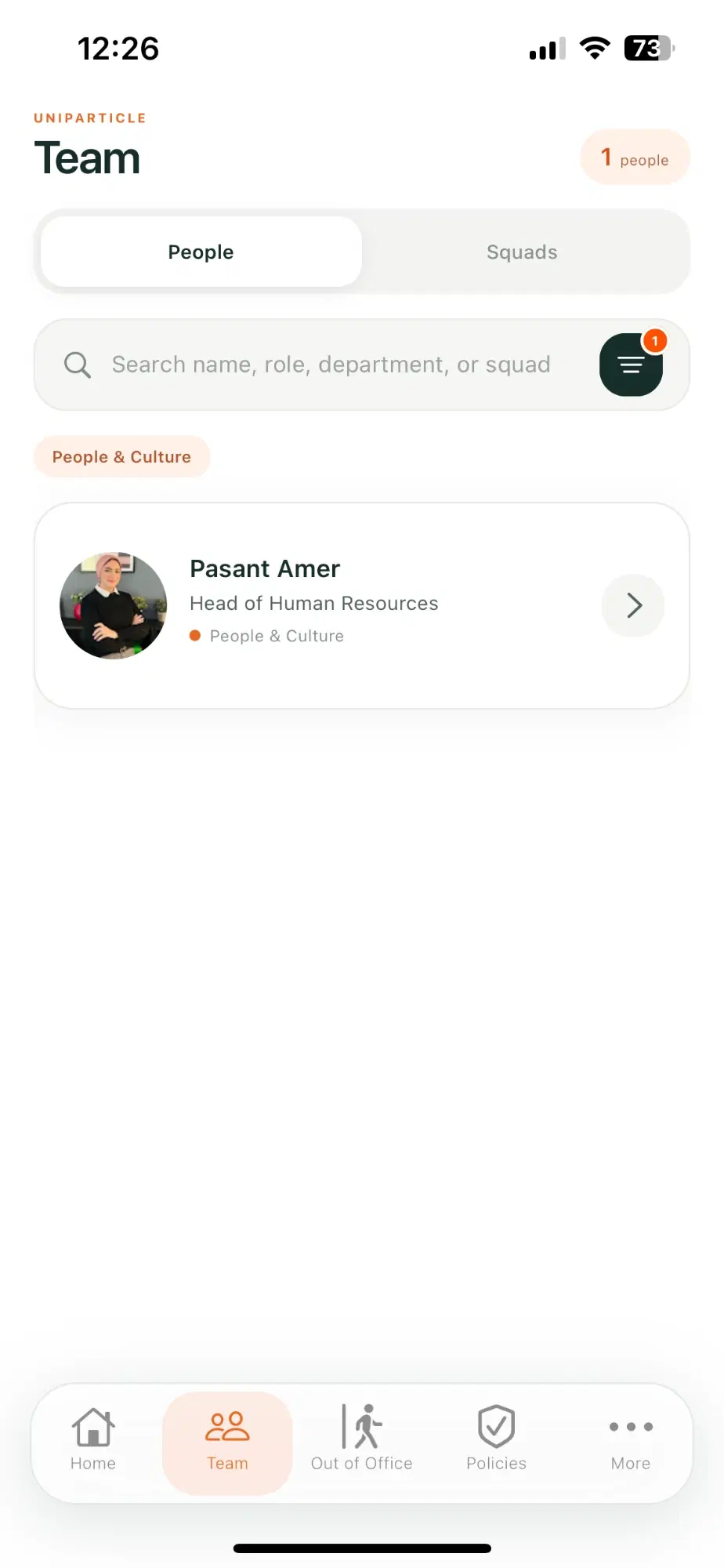
People & Squads
Two views, one directory
04
Company news & events
Keep the whole company in the loop
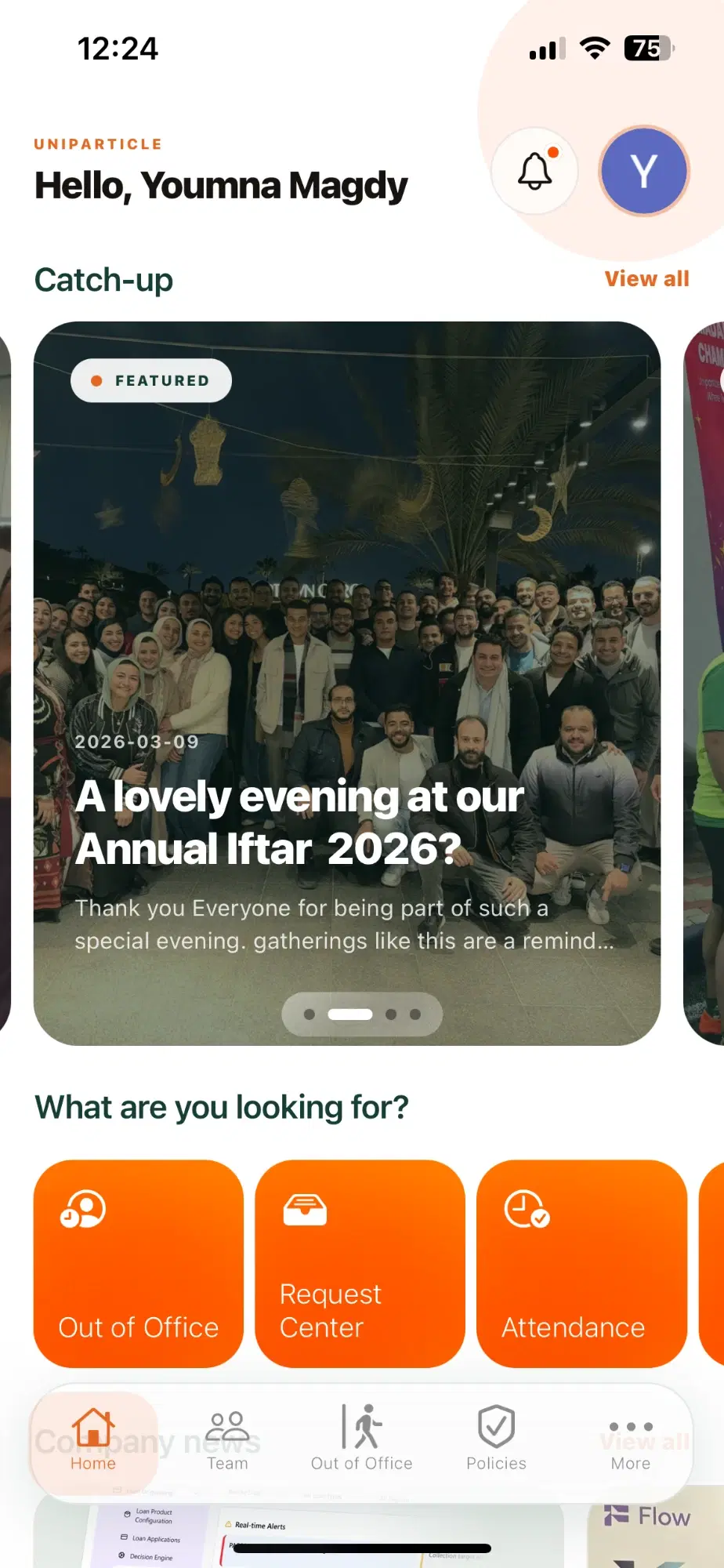
A featured catch-up carousel for announcements and celebrations, plus event pages with date, time, location and everything attendees need to know.
Featured news carousel on the home screen
Event details with date, time and place
Quick shortcuts to the tools people use most
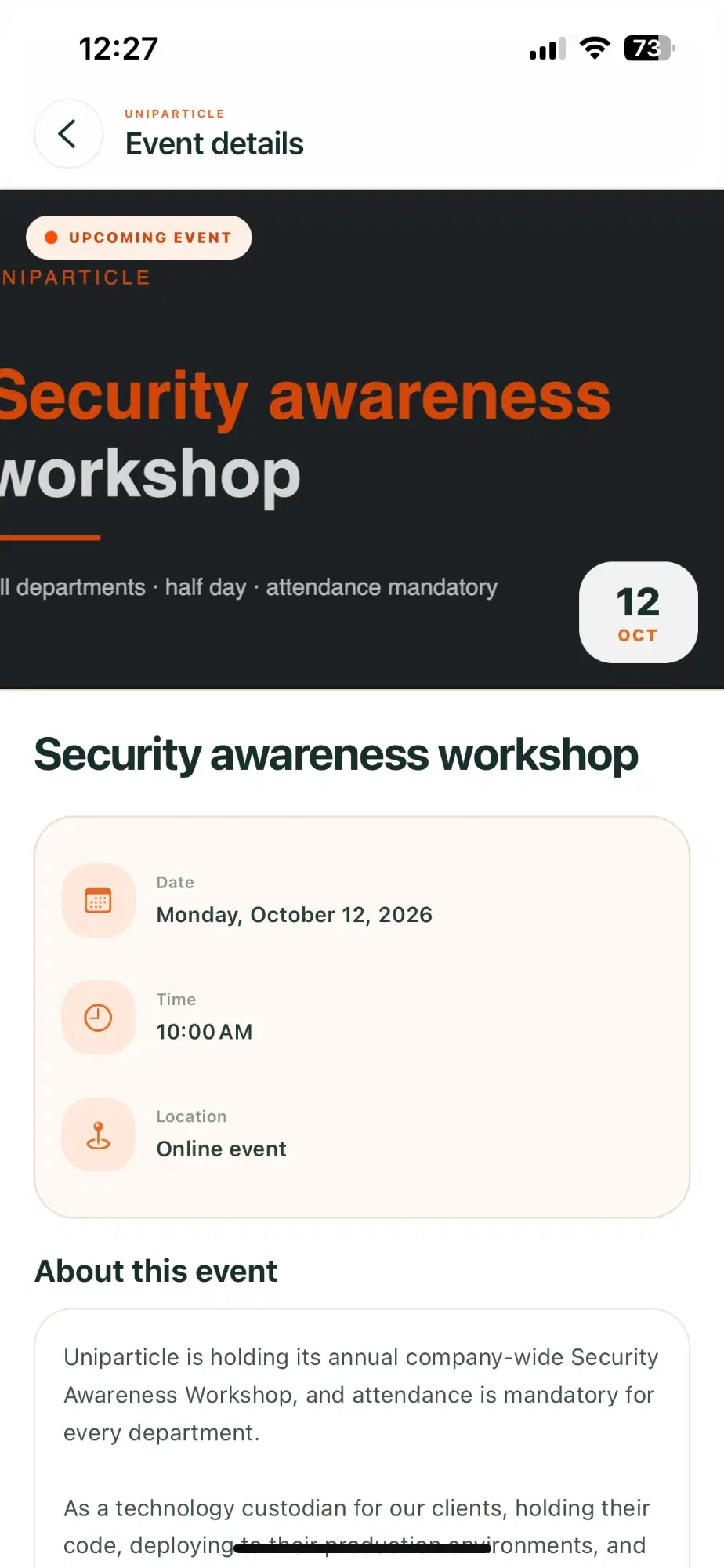
Company update
Featured · Catch-up
Upcoming event
Mandatory attendance
05
Speak Up
A safe channel for feedback and concerns
Employees choose a category, describe what happened and attach supporting files, so feedback reaches the right people in a structured way.
Category-based reports
Optional attachments — PDF, image, document
Built for safe, structured feedback
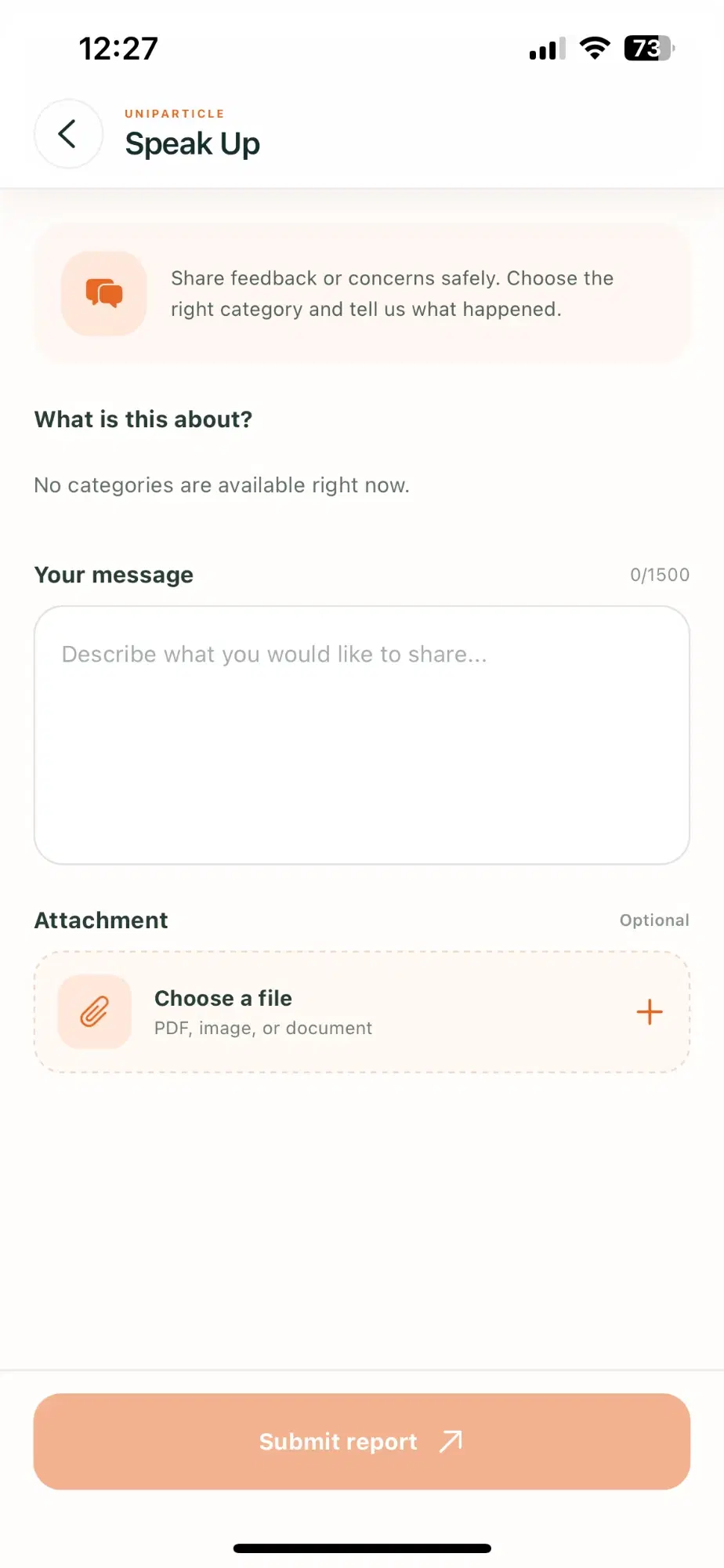
Report submitted
Routed to the right team
HR Dashboard
One Dashboard to Run HR Behind the App
While employees use the mobile app, HR managers work from a web dashboard — managing employees, leave policies and approvals, publishing news and events, and tracking attendance across the whole company.
hr.myfirm.app/overview
HR Overview
Good morning, People team
Search employees
Employees
248
+6 this month
Out today
17
9 WFH · 8 on leave
Pending approvals
12
4 over 48h
Attendance rate
96%
+2% vs last month
Leave days by type
WFH
Sick
Annual
Apr
May
Jun
Jul
Aug
Sep
Awaiting approval
View all
EM
Annual Leave
Engineering · Oct 5 – Oct 9
HR review
SK
WFH
Sales · Oct 2
Line manager
RA
Sick Leave
Operations · Sep 30 – Oct 1
HR review
NH
Casual Leave
Finance · Oct 12
Line manager
Headcount by department
Engineering
86
Operations
72
Sales
54
People & Culture
36
Illustrative dashboard view. Names and figures are sample data.
Workforce at a Glance
Headcount, attendance and who is out today — live across every department and location.
Approvals & Leave
Every pending request in one queue, with leave balances, policies and approval chains configured centrally.
Reports & Content
Leave and attendance reports plus the news, events and policies employees see in the app.
Key Features
Everything Your Organisation Needs to Stay Connected
01
HR Dashboard
A web dashboard for HR to manage employees, leave, approvals, content and reports.
02
Attendance & Leave
Leave balances, history and requests for every leave type, all in one place.
03
Requests & Approvals
Multi-step approval chains with clear progress and one-tap decisions.
04
Company News
Announcements and stories delivered to every employee’s home screen.
05
Events
Event pages with date, time, location and details for every gathering.
06
Team Directory
Searchable people and squads across departments and locations.
07
Employee Profiles
Contact details, department, line manager and time-off at a glance.
08
Company Policies
One place to read the policies that apply to everyone.
09
Speak Up
A structured, safe way to share feedback or raise a concern.
10
Reports & Insights
Attendance, leave and headcount reports to spot trends early.
How It Works
Employee Experience, Reimagined in Four Steps
01
Onboard
New employees get instant access to company resources, the team directory and HR self-service from day one.
02
Connect
News, events and team views keep everyone informed and engaged, wherever they work.
03
Manage
Attendance, leave and request workflows are digitised and routed to the right approver automatically.
04
Grow
Feedback channels and engagement tools help build a culture people want to be part of.
Who It’s For
Designed for Organisations That Value Their People
Enterprises & Corporates
Unify communication and HR operations across departments, locations and teams of any size.
Growing Startups
Build company culture from day one with engagement tools and streamlined HR workflows.
Remote & Hybrid Teams
Keep distributed teams connected and aligned with a mobile-first experience.
Multi-location Organizations
Centralise announcements, policies and HR processes across offices, factories and branches.
Transform the Way Your Organisation Connects
See MyFirm with your own teams, leave types and approval flow. We’ll walk you through a live demo.
Request a Demo